
iStacked HD1.1 - App Store
You'll be able to see results in few seconds.
Publisher Description
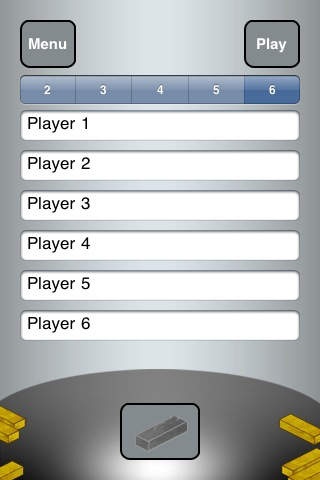
iStacked is our brand new game.
This game is even more fun on the iPad.
You have probably played it but don't know the game.
Play with your friends and see who topples the tower first.
The one who topples the tower, loses!
The object of the game is to remove bricks from the tower without making the tower fall.
Once you have removed the brick, you need to place it on top of the tower and build the tower higher. Again, you must not let the tower fall when placing the brick back on top.
As each brick is removed and placed on top, the tower becomes more and more unstable.
The person who causes the tower to fall, loses.
Remember to tilt your iPhone in the correct way to keep the tower stable as you remove and replace bricks.
iStacked is a must have game that no fun-loving household should be without. Behind its simple exterior there s a surprisingly daring game that builds to a suspenseful, high-spirited climax when playing with friends.
iStacked quickly becomes the life of every party and is an ideal way to make the most of your quality time with family or friends.
It s a great game to play for fun and excitement and it s a game which everyone enjoys. So gather your friends and family and get ready for some enjoyable fun!
Our game was built from the ground up with more fun and rules to make it more challenging.
****You MUST read the instructions before you play for the first time****
Lentrica Software
Requires iOS 3.0 or later. Compatible with iPhone, iPad, and iPod touch.
About iStacked HD
The company that develops iStacked HD is Lentrica. The latest version released by its developer is 1.1.
To install iStacked HD on your iOS device, just click the green Continue To App button above to start the installation process. The app is listed on our website since 2010-07-22 and was downloaded 0 times. We have already checked if the download link is safe, however for your own protection we recommend that you scan the downloaded app with your antivirus. Your antivirus may detect the iStacked HD as malware if the download link is broken.
How to install iStacked HD on your iOS device:
- Click on the Continue To App button on our website. This will redirect you to the App Store.
- Once the iStacked HD is shown in the iTunes listing of your iOS device, you can start its download and installation. Tap on the GET button to the right of the app to start downloading it.
- If you are not logged-in the iOS appstore app, you'll be prompted for your your Apple ID and/or password.
- After iStacked HD is downloaded, you'll see an INSTALL button to the right. Tap on it to start the actual installation of the iOS app.
- Once installation is finished you can tap on the OPEN button to start it. Its icon will also be added to your device home screen.
Program Details
System requirements
Download information
Pricing
Version History
version 1.1
posted on 2010-07-22
Disclaimer
Official App Store Link
We do not host iStacked HD on our servers. We did not scan it for viruses, adware, spyware or other type of malware. This app is hosted by Apple and passed their terms and conditions to be listed there. We recommend caution when installing it.
The App Store link for iStacked HD is provided to you by apps112.com without any warranties, representations or guarantees of any kind, so access it at your own risk.
If you have questions regarding this particular app contact the publisher directly. For questions about the functionalities of apps112.com contact us.
